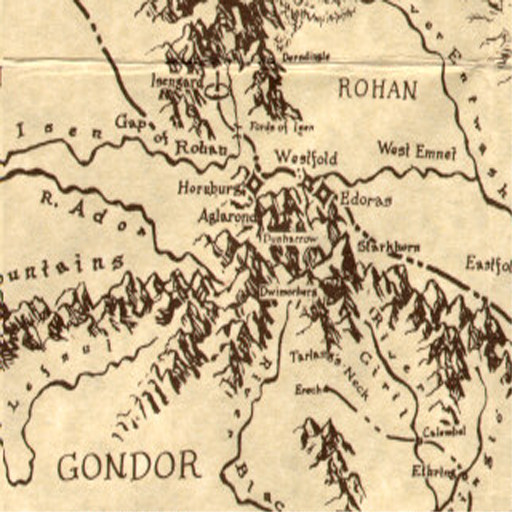
Mml helmsdeep a2
Server Activity


mml_helmsdeep_a2
3D Map Preview — BSP v46 WebGL
-- FPS
Loading mml_helmsdeep_a2.bsp
Initializing WebGL...
Powered by WOLFFILES.EU
Keine Beschreibung verfügbar.
README
-------------------------------------------------------
- Wolfenstein: Enemy Territory Map - MML_HELMSDEEP_A2 -
-------------------------------------------------------

---------------------------------------
Installation instructions:
---------------------------------------

First you MUST delete any other version of MML_HELMSDEEP in your
ETMAIN/ directory.
Then place MML_HELMSDEEP_A2.PK3 in your Enemy Territory's
ETMAIN/ directory.

---------------------------------------
Story:
---------------------------------------

The Axis forces, in their desperate search for power to stop the
inevitable Allied onslaught, have been working on the ability to
travel in time.

The Allies, learning of these plans, create a force to storm and
capture the Axis laboratories where the research is being done.

Unfortunately, the Allies attack during a crucial experiment, and
the resulting fighting causes an uncontrollable surge in the
equipment, throwing everyone in the immediate area back in time!

Appearing six thousand years ago, in a history that was only
thought to be mythical, both sides now have a new battleground to
continue their war in.

Allies must defend Helms Deep, keeping safe the means of travelling
back to the modern day, while preventing Axis from dominating this
new land and altering the future completely.

---------------------------------------
Level info:
---------------------------------------

THIS MAP HAS NEW FEATURES NEVER SEEN BEFORE IN ET MAPS.
Please read the section below on patrol points to understand how
they work.

This map is in ALPHA (2) mode.
It is unfinished, but the map layout and objectives are all
hopefully as they will be in the final.

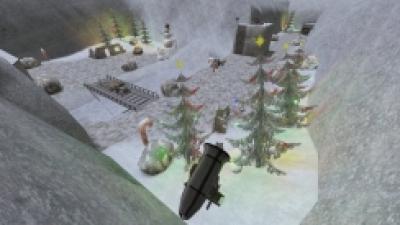
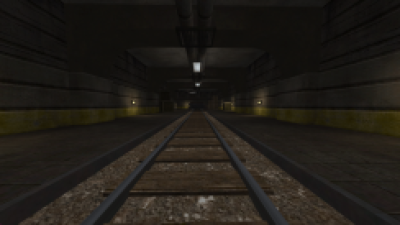
The caves are entirely new over the first playable version.
Graphically they are not very interesting, and I am a bit worried
that people will become disorientated since they all look very
similar.
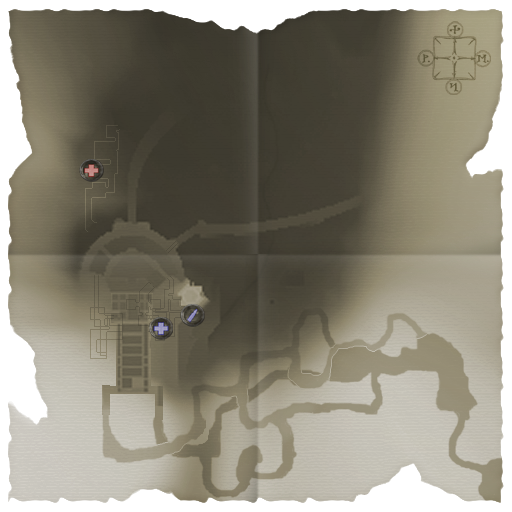
Having said that, that's what the command map is for, which should
be fairly clear.

There is a list of 'things to do' further on so you can see what
else is planned.

To give me feedback, post at:
http://theburrow.fragland.net/forums/viewforum.php?f=14

---------------------------------------
Objectives:
---------------------------------------

AXIS:

1) Transport the extra crates of dynamite to the culvert.
2) Blow the wall by planting dynamite at the culvert with the extra
	dynamite crates.
3) Capture the South Valley spawn. This becomes permenant once both
	the Main Gate and wall have been breached.
4) Dynamite the Stable Doors.
5) Escort the Tank up to blow the Throne Room Door.
6) Construct the Throne Room Command Post to gain forward spawns.
7) Destroy the Cave Defences.
8) Dynamite the Weak Tunnel blocking off Allied reinforcements.

ALLIES:

1) Prevent Axis placing additional explosives at the culvert.
2) Stop Axis blowing the main wall.
3) Defend the South Valley spawn.
4) Stop Axis from dynamiting the Stable Doors.
5) Prevent the Tank from reaching and blowing the Throne Room Door.
6) Stop Axis from building and defending the Throne Room Command Post.
7) Build and protect the Cave Defences.
8) Defend the Weak Tunnel from Axis dynamite.

---------------------------------------
Patrol Points:
---------------------------------------

In various stages of the map are what are called Patrol Points (or
PP for short).
A PP is a designated zone that a certain team / class combination
must remain in for a given length of time to enable additional
benefits for their team.

The time to enable a PP, and how long that PP stays enabled for,
varies, but is clearly defined. Players enabling a PP will be told
how long it takes to enable, and the whole team is alerted when a
PP is enabled, disabled, and when it's about to run out.

PPs are identified by a striped border around them.
The class and team combination required to activate the PP will be
shown on the wall within the PP itself.
The icon indicates what class is required, and the icons correspond
exactly to the icons for class selection in the limbo screen, but
are detailed here:

Helmet		= Soldier
Cross		= Medic
Bullet		= Field Op
Target		= Covert Op
Spanner		= Engineer

The colour of the striped zone marker and the class icons indicate
what team can activate the patrol point:

Red		= Axis
Blue		= Allies
Grey / yellow	= Either team

So, for example, a blue cross means that only an Allied Medic can
activate the patrol point.

PPs are marked on the Command map.
The effects gained from enabling a PP are varied, and stated at
the time of activation.

---------------------------------------
Special in-game effects:
---------------------------------------

Axis Patrol Points:

Axis has a medic-only PP located under the mountain next to the
ramp. It takes 20 seconds to enable, and gives Axis spawn points
there. It lasts for 2 minutes.

Allied Patrol Points:

Allies have a medic-only PP located in the halls under the Fort.
It takes 10 seconds to enable, and unlocks the health cabinets
dotted around the map for 1 minute.

Allies have a field-op-only PP located in the second level of
the tower. It takes 10 seconds to enable, and unlocks the ammo
cabinets dotted around the map for 45 seconds.

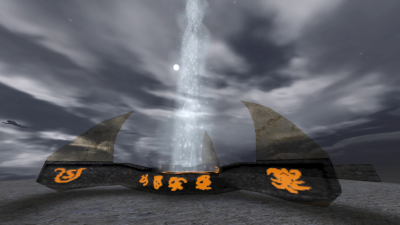
The Horn of Helm Hammerhand:

The Horn (located at the top of the tower) can be blown by the
Allied team only. Once blown, for 10 seconds it gives Allies
super fast charge bar replenishing, as well as immediate
respawns.
Note it can only be blown TWICE per map, and it cannot be
blown in quick succession (it disappears from the command map
when it is unavailable).

---------------------------------------
Issues / still to do:
---------------------------------------

- First time tank is destroyed / repaired you don't get messages.
	Still works fine though.
- Lack of proper lighting and texturing. This is most noticable
	in the caves.
- Modelling not finished. The caves will get vastly improved
	detail, getting rid of the repetitiveness and allowing for
	greater orientation.
- Custom textures - I want to take certain ones straight from the
	film for accuracy (one example is the main gate)
- Custom sounds - to be more specific, sounds taken from the film
	for certain actions. I'm more into music clips than voice
	overs though, so I'm sure siliconslick will keep patching
	away!

---------------------------------------
Playing instructions:
---------------------------------------

To join a server playing this map:

1) Join as normal - ET will load the map up automatically (assuming you have installed it correctly).

To set up a server:

1) Load up ET in MP mode.
2) Choose 'Host Game'.
3) Find MML HELMSDEEP (A2) in the list of SW / MP maps.
4) Set server options according to how you wish them to be.
5) Choose 'Accept'.

---------------------------------------
Level technical info:
---------------------------------------

Name:		MML_HELMSDEEP_A2
Type:		MP / SW
Stage:		Alpha
Revision:	2
Time taken:	1 year
Compile:	BSP -meta, -vis, -light -fast -filter -samples 2

---------------------------------------
Author info:
---------------------------------------

Author:		[MML]Gerbil / zero.Gerbil
Real name:	Barry Swan
WwW:		http://www.theburrow.com
Wolf WWW:	http://theburrow.fragland.net
Clan WWW:	http://www.zerogaming.co.uk
E-mail:		[email protected]

---------------------------------------
Thanks:
---------------------------------------

Too many to mention, but I'll have a go anyway:

Siliconslick - for his great patches, and supplying a couple of
	dedicated servers with plenty of slots!
Tomasina - lots of help and feedback
Ratty Redemption - help with the terrain and making me understand
	meta shaders and how cool they are!
SCDS_reyalP - giving me the missing link in some of my shaders
MadMaximus, Mr Mean Mustard, Sock, The Programmer formally known
	as djbob (now digibob), Chavo One from Jolt and
	Splashdamage for their support and help in particular
	problems.
Clan Groundzero - as ever a top bunch of guys and I just wish I
	had the connection to play with them again in clan
	matches :(
Anyone else I've missed - there will undoubtedly be some, and for
	that I'm sorry, but anyone who has offered support,
	feedback or ideas, it's greatly appreciated!

---------------------------------------
Copyright:
---------------------------------------

Consider everything in this file copyright - you may NOT use
any of it without express permission from myself.

There are assets in here not created by me, most obviously the
skybox. I will include proper credits when I can track them down.
Sorry if the skybox is yours, I DO INTEND TO CREDIT YOU, I have
just can't remember where I found it :(

I may or may not have used some textures by Ydnar too, so his
stuff = copyright too. In other words, I wouldn't touch anything
or else ;)
Virus Scan
Clean — No threats detected
Scanned with ClamAV
File Contents
2 files
8.9 MB uncompressed
1 BSP map: mml_helmsdeep_a2
Type: wolfmp wolfsw
1 PK3 file
.pk3 (1)
.tga (1)
| File | Size |
|---|---|
| mml_helmsdeep_a2.pk3 | 8.1M |
| mml_helmsdeep_a2.tga | 768K |
Comments (0)
Login um einen Kommentar zu schreiben.
🎮
Test map
60-min session on a free test server
Server Stats
7
Total Plays
all-time
3
Active Servers
active · 7 days
0
Peak Players
all-time
Last played: 1 day ago
File info
Rating
0.0
/5
0 Ratings
Detailed Rating
Design
0.0/5 (0)
Gameplay
0.0/5 (0)
Textures
0.0/5 (0)
Performance
0.0/5 (0)
Originality
0.0/5 (0)